
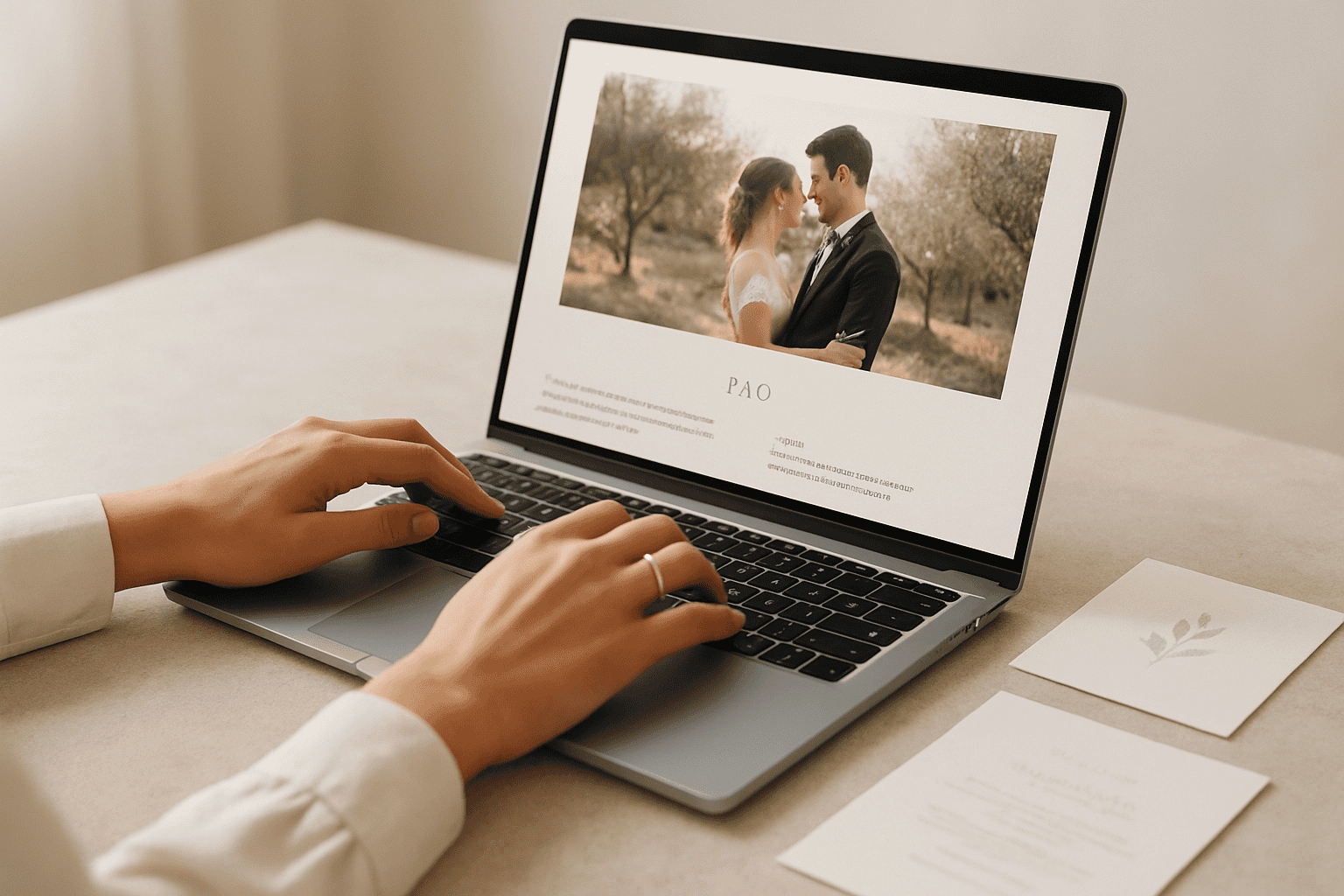
Perfect wedding website: what to include (FAQ, maps, dress code, contacts)
Wedding website FAQ content: why it really makes a difference for guests
A well-designed wedding website isn’t “just” a nice page to look at: it’s a guest information hub that reduces repetitive questions, prevents misunderstandings, and makes the experience smoother for everyone. When people know where to go, how to dress, what time to show up, and who to contact in case of unexpected issues, the event flows naturally and you can enjoy it more too.
The point isn’t to include everything, but to include what’s needed at the right time, with a tone consistent with the style of the wedding: luxury and minimal, intimate and warm, or international and dynamic. And if you’re organizing a destination wedding website, clarity becomes even more important: your guests are moving around in a place they often don’t know, with travel times, transfers, and different local customs.
Goal and style: luxury, intimate, or destination
Before writing content, define the goal of the site. Do you want it to be:
- Essential, with a few key pieces of information and a clean aesthetic;
- Experiential, with storytelling, mood, and travel tips;
- Operational, designed to manage logistics, RSVPs, and updates.
The graphic style and tone of voice must reflect the event. An elegant wedding can use more concise and formal texts; a intimate wedding can afford a more personal language. In any case, the rule is one: zero ambiguity about times, locations, and dress code.
What to expect: timing, logistics, and “what do I need to do?”
Guests, when they open the site, look for quick answers to three questions:
- When when do I need to arrive and how long does each moment last?
- Where where do I need to go (ceremony, reception, any extra events)?
- How how do I get around (parking, shuttles, taxis, on foot)?
If the wedding website answers this well, you’ve already won half the battle. The other half is anticipating typical doubts with a wedding website FAQ content complete, up-to-date, and easy-to-consult FAQ section.
Step-by-step planning of wedding website content
A common mistake is building the site “all at once” and then never updating it again. Better to think of it as a project that evolves: first the essential information, then the details, and finally the FAQs and final updates. This way you avoid publishing incomplete content or having to fix too many things at the last minute.
Realistic timeline (from 12 to 2 months) for publishing information
- 12–9 months before: “Save the date” page (if useful), general location, city/area, event style, first tips for those traveling.
- 8–6 months before: travel section (how to get there), accommodation suggestions, first maps, useful contacts, draft dress code.
- 5–3 months before: more detailed schedule, transfer logistics, parking, accessibility, expanding FAQ, RSVP reminder.
- 2 months–last weeks: final times, meeting points, precise maps, “day-of” contacts, any weather updates or Plan B.
If you work with a planner or a coordination team, align the wedding website with the overall planning. For an overview of timing and priorities, it can be useful to start from a complete guide like How to organise a wedding, and then translate the choices into clear content for guests.
Checklist of essential content (before thinking about “pretty”)
Before adding galleries and aesthetic details, make sure the site contains:
- Dates and times (even approximate, if necessary, but consistent);
- Addresses complete and consistent with each other;
- Maps and practical directions (arrival, parking, access);
- Dress code explained well (not just one word);
- Contact for emergencies and questions;
- RSVP and deadlines (if applicable);
- FAQ updated (diets, weather, children, gifts, transportation).
These are the pillars of the guest information. Everything else is a plus, but it must never hinder consultation (for example: texts that are too long without headings, heavy images that slow things down, information “hidden” behind unintuitive menus).
Guest management and transfers: what to write to avoid confusion
For guests, logistics are often the most stressful part. On the site, dedicate a specific section to:
- How to get there: recommended airport/station, indicative times, transport options;
- Getting around locally: shuttles, taxis, parking, ZTL zones (if relevant), walking routes;
- Meeting points: a simple, recognizable place, with time and an advance buffer;
- Return: indicative times, alternatives in case of early departure.
If the event includes multiple locations (separate ceremony and reception, or events over multiple days), use a repeatable structure: for each moment, where + when + how to get there + practical notes.
Priorities and choices: what to highlight on the wedding website
An effective wedding website guides attention. Not all information carries the same weight: some must be immediately visible, others can go in a detail section or in the FAQs. The priority is not “to include everything”, but to reduce cognitive effort for the reader.
The information that should be “at the top” (and repeated where needed)
There are elements that are worth making easy to find, even by repeating them in multiple places:
- Date and city/area;
- Ceremony time (or time slot);
- Location with full address;
- RSVP with deadline;
- Day-of contact (a point person different from the couple, if possible).
Repetition, in this case, is not redundancy: it’s service. Guests don’t always read linearly; they often look for things “at a glance”.
Where to invest attention: maps, transport, and dress code
If you had to choose three areas to really take care of the content, choose these:
- Maps and directions: they reduce delays and last-minute phone calls.
- Transport: they clarify what is organized and what isn’t, and how to behave.
- Dress code: avoid out-of-place looks and embarrassment, especially in particular venues.
A well-written dress code isn’t a single word (“elegant”) but a mini guide: level of formality, recommended colors or ones to avoid if you wish, and above all practical guidance (shoes, coats, ground conditions, wind, cool evening).
Common mistakes that make life harder for guests
- Incomplete addresses or different between the invitation and the website.
- Inconsistent times between the schedule and communications.
- Maps without context: a pin isn’t enough if the entrance is elsewhere or if there’s a specific access point.
- Vague dress code: “cocktail” or “formal” without practical examples.
- Missing contacts: guests call the couple right when they can’t answer.
The solution is to design the wedding website as if it were a small “concierge page”: essential, clear, up to date.
Plan B and handling the unexpected: what to communicate on the site without creating anxiety
Talking about a Plan B doesn’t mean “bringing bad luck”: it means being organized. Guests appreciate knowing there’s a solution in case of unstable weather or schedule changes. The secret is to communicate with balance: useful information, reassuring tone.
Weather and alternatives: how to write it elegantly
Add a short note, for example in a “Useful info” section or in the FAQs (and, if needed, an update close to the date). Indicate:
- whether the ceremony is planned outdoors;
- that there is an indoor alternative;
- a practical tip (shawl/jacket, suitable shoes, a compact umbrella if you deem it appropriate).
Avoid overly technical details or catastrophic scenarios. The goal is to make guests feel prepared, not worried.
Access and venue constraints: what to clarify in advance
Some venues have particular access (secondary entrances, stairs, gravel paths, distances to walk). Without getting into contractual or regulatory aspects, you can communicate simply:
- how to enter and where guests will be welcomed;
- walking times (approximate);
- notes on shoes and comfort (especially useful for those who don’t like heels).
If you’re organizing an event in an iconic destination, adding context helps: for example, for those dreaming of a wedding in a scenic location, a resource like Wedding on Lake Como: guide can also inspire how to present itineraries, transfers, and practical tips to guests.
Last-minute contacts and communications: the “who to call” rule
On the wedding website, dedicate a clear space to contacts, distinguishing between:
- Questions before the event: email or organizational contact.
- Urgencies on the wedding day: a point person (wedding planner, best man/maid of honor, coordinator).
If you anticipate updates (weather, schedule changes, meeting point), also decide where where they will be posted: an “Updates” section or a banner on the homepage. That way guests know where to look, instead of writing to multiple people.
Guest experience: how to turn the wedding website into a travel guide
The wedding website isn’t just for “giving instructions”: it can become part of the experience. Especially for a destination wedding website, guests appreciate a guide that makes them feel welcomed and oriented, without overwhelming them with information.
Welcome moment, activities, and hospitality: what to include and how
If you’ve planned extra moments (welcome drink, brunch, activities), create a “Weekend” or “Events” section. For each item, include:
- time and approximate duration;
- dress code specific location (if different);
- booking instructions or confirmation, if necessary;
- practical notes (what to bring, weather, shoes, any swimsuit).
If you don’t want to make certain activities public (for example, events reserved for a group), you can manage them with protected pages or targeted communications. The important thing is that those who are invited can find the information easily.
Transportation, shuttles, and parking: write instructions that actually work
When you talk about transportation, avoid generic phrases. Guests need actionable instructions. An effective format is:
- Option A (shuttle): where it departs from, at what time, whether you need to arrive early, what happens for the return trip.
- Option B (car): where to park, any areas to avoid, how to reach the entrance.
- Option C (taxi/NCC): suggestion to book in advance if the area is in high demand, and the drop-off point.
If the venue is complex, add a note like: “Follow the directions on the wedding website, not just the GPS”. Many delays come from an inaccurate pin or the wrong entrance.
Clear directions and wedding website: maps, meeting points, contacts
Maps are among the most consulted content. To make them truly useful:
- include written address in addition to the pin;
- specify correct entrance (if different from the main address);
- add clear (e.g., gate, reception, parking);
- indicate recommended lead time relative to the start time.
For a wedding with international guests, also consider a bilingual version or at least English keywords for the logistical sections. And if you are building a travel-oriented wedding website, it can be useful to clarify what is meant by a “destination wedding”: Insight: Destination wedding (Wikipedia).
CTA: a wedding website that truly simplifies the guest experience
If you want your wedding website to become an elegant and practical guide, capable of collecting guest information, maps, dress code, contacts and wedding website FAQ content in an organized way, you can find ideas and resources in the section dedicated to How to organise a wedding on ChiaraB Events: the goal is to help you turn logistics into a curated, consistent, and stress-free experience.
FAQ
What are the essential guest information items on a wedding website?
The most important are: date and times, full addresses for the ceremony and reception, the day's schedule, information on transportation/parking, dress code explained in a practical way, an emergency contact for the day of the event, and an up-to-date FAQ section.
How should maps be structured to prevent guests from arriving at the wrong entrance?
In addition to the pin, enter the written address, specify the correct entrance (if different), add a recognizable landmark, and indicate where to park or where the meeting point is located. If the location is complex, clarify that the directions on the site are the ones to follow.
How to write the dress code without sounding rigid or unclear?
Avoid a single word ("elegant") and add context: level of formality, practical guidance related to the location (gravel, lawn, stairs, evening wind), any recommended colors or colors to avoid if you wish. Keep a kind tone and focus on guests' comfort.
What to include in the contacts section of the wedding website?
Provide at least two channels: one for questions before the event (email or organizational contact) and one for emergencies on the wedding day (a point person different from the couple, if possible). Clearly specify when to use each contact.
Which FAQs should you include in a destination wedding website?
In addition to the classic FAQs (dress code, schedules, parking), add: how to get there (recommended airport/station), tips on accommodation and getting around, travel times, useful language/customs, what to bring based on the climate, and how to handle any multi-day events.
When should the final information on schedules and logistics be published?
You can publish a basic version with general information months in advance, and update it progressively. Generally, it’s useful to make the final schedules, meeting points, and “day-of” contacts very visible in the last few weeks, so guests can immediately find what they need close to the date.
How to communicate the weather plan B on the wedding website without creating anxiety?
A short, reassuring note is enough: mention that the ceremony is planned outdoors (if it is), that there is an indoor alternative, and add a practical tip (for example a light jacket or suitable shoes). Avoid excessive details: the goal is to make guests feel prepared.
From the blog
 Guests
Dress code: how to communicate it elegantly (with text examples)
How to communicate the dress code to guests without embarrassing anyone The guest dress code is one of the details […]
Read more Guests
RSVP for international guests: how to increase confirmations and reduce no-shows
RSVP for international guests: what really changes (and why no-shows increase) When talking about RSVP for international wedding guests, […]
Read more Guests
Guest transportation: how to create an effective shuttle plan between hotel, ceremony, and venue
Guest transportation between hotel, ceremony, and venue: why a plan is needed (and what to expect) When guests move around in […]
Read more